5 Best Safari Extensions for Mac To Boost Productivity
Last updated on August 26th, 2025 at 4:28 pm
Introduction:
If you’re someone who spends a significant amount of time browsing the web, you’ll know how crucial it is to have a seamless and productive online experience. Luckily, Safari, Apple’s default web browser, comes with a vast array of features and functionalities that cater to various needs. But why settle for just the default options when you can supercharge your productivity with the help of extensions?
In this article, we have listed the 5 best extensions for Safari to boost productivity. These powerful add-ons have been carefully curated to help you streamline your workflow, enhance your browsing experience, and make the most out of your time online.
5 Best Safari Extensions for Mac To Use in 2025
From advanced grammar checking tools and distraction-blockers to time-saving utilities you’re sure to find an extension that suits your needs and elevates your digital life.
1. Grammarly
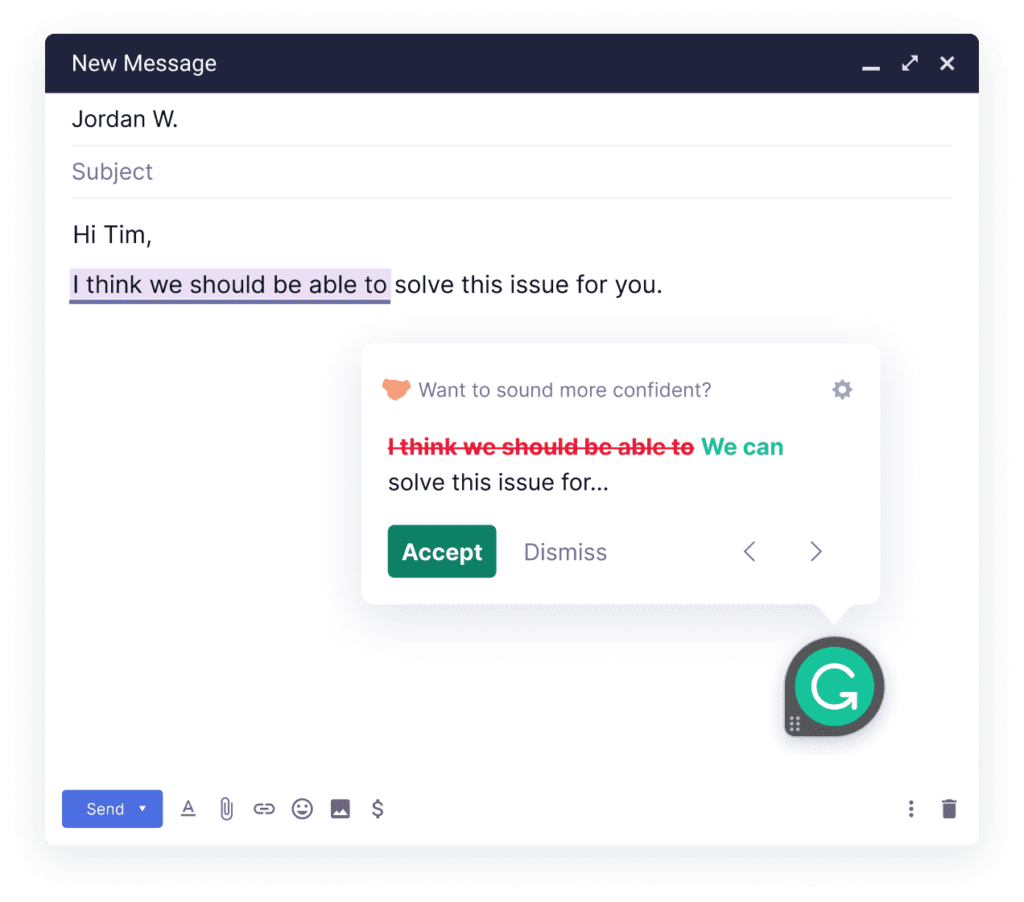
If you’ve ever struggled with typos, grammar mistakes, or clunky sentence structures while writing emails, documents, or even social media posts, Grammarly is your ultimate writing companion. This intelligent extension seamlessly integrates into Safari and works its magic across various platforms, ensuring that your writing is error-free and polished. From catching pesky spelling errors to offering insightful grammar suggestions, Grammarly’s artificial intelligence is there to save the day.
But that’s not all! Grammarly takes your writing skills to the next level by providing real-time feedback on tone and clarity. So, whether you’re crafting a professional email, a blog post, or a critical report, Grammarly guarantees that your message is communicated effectively and concisely.
Features:
- Offers real-time suggestions to eliminate errors in your writing.
- Helps fix complex grammar issues for polished content.
- Provides feedback to enhance the tone and clarity of your message.
- Seamlessly integrates into Safari for consistent support.
- Boosts efficiency and confidence for various writing tasks.
Pros:
- Real-time feedback for immediate corrections.
- Cross-platform integration with Safari.
- Plagiarism checker in the premium version.
Cons:
- Limited offline functionality.
- Some advanced features require a premium subscription.
2. DuckDuckGo Privacy for Safari
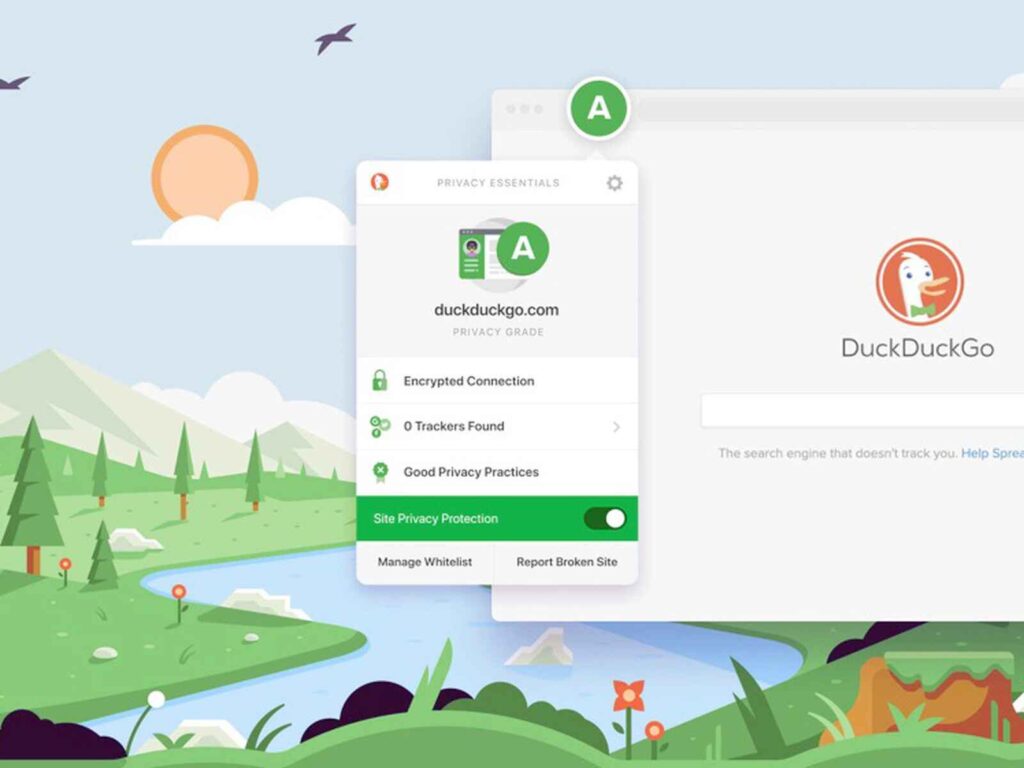
Next up on our list of best extensions for Safari is “DuckDuck Privacy for Safari.” In today’s digital age, online privacy is of utmost importance, and this powerful extension takes the protection of your personal information to the next level.
DuckDuck Privacy for Safari is your trusty shield against invasive trackers and intrusive advertisements. By blocking third-party trackers and removing cookies, it ensures that your browsing habits remain private and secure. No more worries about targeted ads following you around the internet!
But that’s not all – this extension also enhances your browsing speed by reducing the load times of web pages. Say goodbye to sluggish browsing and hello to a smoother, more efficient online experience.
Features:
- Blocks third-party trackers and removes cookies for enhanced online privacy.
- Eliminates intrusive advertisements for a cleaner browsing experience.
- Reduces web page load times, leading to faster and more efficient browsing.
Pros:
- Robust privacy protection against trackers and cookies.
- Ad blocking for a cleaner browsing experience.
- Faster web page loading for improved efficiency.
Cons:
- Some websites may display content improperly due to aggressive ad blocking.
- Certain site functionalities may be affected by privacy settings.
3. Quiet
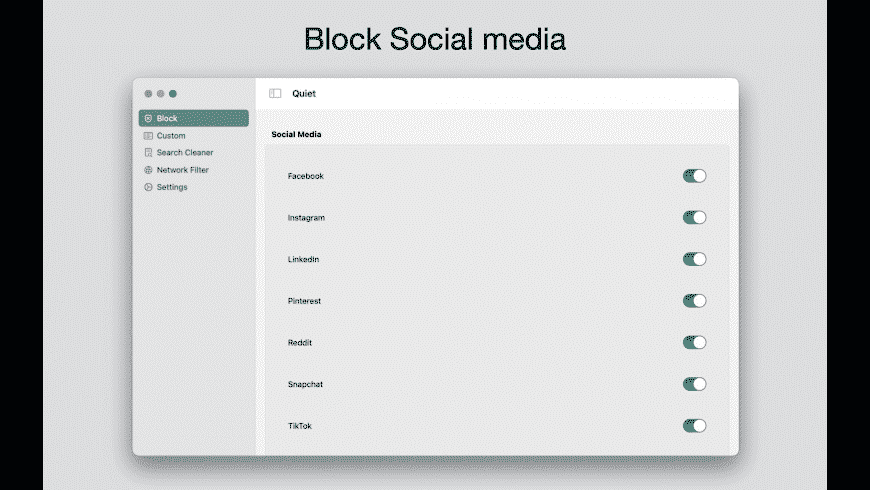
Our third featured one of the best Safari extensions for Mac comes Quiet.”Quiet,” is a productivity gem that helps you stay focused and undistracted while browsing the web. In a world filled with constant notifications and attention-grabbing websites, Quiet provides the perfect solution to reclaim your concentration and get more done.
Quiet lets you control website notifications, ensuring that only essential alerts reach you while silencing or blocking distracting pop-ups and notifications from other sites. This means no more interruptions during important tasks or work sessions.
Customizable and easy to use, Quiet empowers you to create a distraction-free browsing environment tailored to your needs. Boost your productivity and maintain a peaceful digital space with the help of Quiet – your key to a more focused and efficient online experience.
Features:
- Allows customization of website notifications for essential alerts only.
- Silences or blocks distracting pop-ups and notifications from other sites.
- Creates a distraction-free browsing environment for increased productivity.
Pros:
- Allows personalized control over notifications.
- Creates a more productive browsing environment.
Cons:
- May accidentally block some desired notifications.
- May not provide advanced customization options for all users.
4. PayPal Honey for Safari
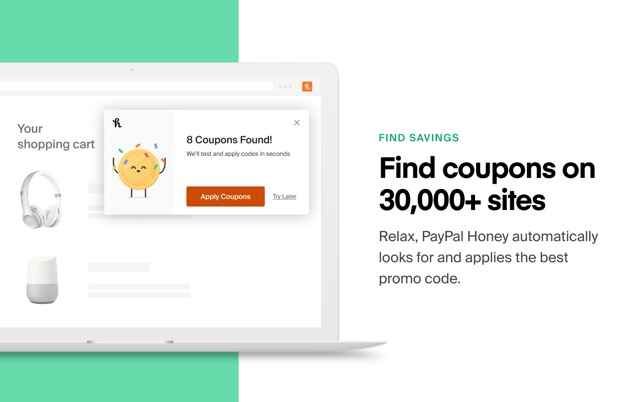
Here comes our next pick on the list of best extensions for Safari. “PayPal Honey,” is a must-have tool for online shoppers and bargain hunters. If you love saving money while shopping, this extension will be your new best friend! PayPal Honey automatically scours the web for the best deals, discounts, and coupon codes, ensuring you never miss a chance to save. Whether you’re shopping for electronics, fashion, travel, or anything in between, PayPal’s Honey has got you covered.
During the checkout process, Honey applies the most relevant coupon codes to help you find the best price available. It’s like having a savvy shopping assistant right in your browser, always looking out for your wallet.
Features:
- Scours the web for the best deals, discounts, and coupon codes across various shopping categories.
- Automatically applies the most relevant coupon codes during checkout to maximize savings.
- Works with a vast range of online retailers, ensuring you find deals for all your favorite stores.
- Easy-to-use extension that simplifies the process of finding and applying discounts.
Pros:
- Effortlessly finds and applies the best deals and coupon codes.
- Works with a vast range of online stores for extensive savings.
- Easy-to-use interface enhances the shopping experience.
Cons:
- May not support all international regions or retailers.
- Potential OverSome deals might not be captured by the extension.
5. Keyword Search
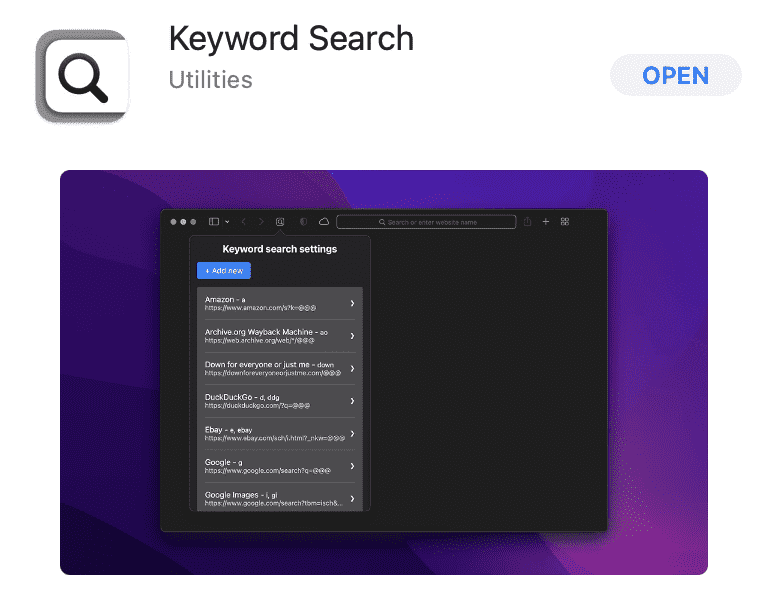
Do you often find yourself buried under an avalanche of open tabs while searching for specific information? Keyword Search revolutionizes the way you navigate the web by allowing you to search for specific terms or phrases within open tabs. No more endless scrolling or struggling to locate the right tab – simply type your keyword into the search bar, and let this extension work its magic.
With Keyword Search, you can effortlessly jump to the exact information you need, saving valuable time and effort. Say goodbye to tab chaos and hello to a more organized and efficient browsing experience.
Join the ranks of productive web explorers who rely on Keyword Search to streamline their research and effortlessly find what they need. Embrace the power of quick keyword searches and unlock a new level of productivity in your Safari browsing!
Features:
- Enables quick and easy searching for specific terms within open tabs.
- Helps you locate information faster, reducing the need for excessive tab navigation.
- Streamlines research and boosts browsing efficiency.
Pros:
- Simple and intuitive interface, making it easy for users to adopt and utilize effectively.
- Capable of searching keywords across multiple open tabs, facilitating broader research.
- Allows users to tailor the extension’s behavior to suit individual preferences.
Cons:
- May not offer advanced search capabilities compared to dedicated search tools.
- Only applicable to Safari browser users, not available for other browsers.
Conclusion
Here were the best extensions for Safari offering a myriad of possibilities to enhance your productivity on Mac. With tools to improve your writing, safeguard your privacy, eliminate distractions, find great deals, and streamline your research, you can take control of your online experience like never before.
Embrace these powerful extensions, and watch as your browsing efficiency soars to new heights. Here’s to a more focused, productive, and enjoyable digital journey ahead!
Author Bio:
Dinesh Lakhwani 

Dinesh Lakhwani, the entrepreneurial brain behind “TechCommuters,” achieved big things in the tech world. He started the company to make smart and user-friendly tech solutions. Thanks to his sharp thinking, focus on quality and the motto of never giving up, TechCommuters became a top player in the industry. His commitment to excellence has propelled the company to a leading position in the industry.
Popular Post











Recent Post
![Help With Color Management In Windows Complete Guide [2026]](https://www.techcommuters.com/wp-content/uploads/2025/12/Help-With-Color-Management-In-Windows-Complete-Guide.webp)
Help With Color Management In Windows: Complete Guide [2026]
Color often decides how we experience a picture, a video, a website, or even a simple chart. Many users feel confused when colors look different on each screen. A monitor may show a softer shade while a laptop shows a sharper one. This creates doubt and slows down work. It can also lead to mistakes […]

How To Install Pending Windows Updates Easily On Windows 11
Windows updates keep your computer healthy. They fix problems and improve security. Many people ignore updates because they worry about errors or slow performance. In most cases, the process is simple. You only need to follow a clear routine and give your computer enough time to finish the job. A regular update habit saves you […]

How to Set Up a Secure VPN Connection on Windows In 2026
A VPN helps protect your privacy each time you go online. It hides your real location. It protects your data from unsafe networks. It also keeps your browsing away from unwanted eyes. Many people use it to keep their work safe. Others use it to guard their regular internet use. Windows offers good support for […]
How To Extend Your Battery Life Effectively in Windows
A laptop is useful only when the battery lasts long enough to support your work. When the charge falls too fast, even small tasks feel stressful. You may rush to find a charger. You may feel forced to lower the performance. You may even stop your work in the middle of something important. This can […]

How To Get Help With Notepad in Windows [2026]
Notepad has been part of Windows for many years. And people still use it for quick notes, lists, and simple edits. Its clean layout helps new users, while its small set of tools supports everyday tasks. Yet problems can appear when features behave in unexpected ways or when users try something new, so clear guidance […]

Software Performance Optimization Tips: Complete Guide
Software often slows down over time, turning once-fast programs into frustrating delays. While many assume their device is outdated, the real issue often lies in how the software runs. With a few simple habits and checks, users can restore speed and avoid costly upgrades. This guide offers clear, beginner-friendly software performance optimization tips. It covers […]

How To Connect a Scanner to Your Device Windows 11 In 2026
Have you ever needed to scan a document in a hurry and did not know how to begin? Many people face this problem when they buy a new scanner or a new computer. Windows 11 includes helpful tools that make the process easy, but you must know the right steps. This guide explains each method […]

How To Connect to Your PC Remotely Windows [Complete Guide]
Many people need to reach their computer from far away. Well, yes! It may be for work, study, or personal use. Remote access helps you open files, use your apps, and control your system even when you are not near the device. It gives you the comfort of using your computer anywhere through the internet. […]
How To Connect to a Wi Fi Using a QR Code: Latest Guide
Wi-Fi is now a basic part of our lives. We use it at home, in offices, schools, and public places. But typing long passwords every time you connect can be annoying. Sometimes you might even forget your Wi-Fi password. That is where QR codes come in handy. With QR codes, you can connect to any […]

How To Connect a Wireless Printer Easily to Windows 11/10 PC
Printing tasks are part of most home and office work today. Isn’t it? Well, yes! Using a wireless printer makes printing easier and faster because you don’t need cables. It allows you to print documents and images from any corner of your room as long as your device and printer are connected to the same […]

